

Needs the Reports module and Reports access in your role. Each report has its own switch (Operations report, Commercial cashflow, Overdue report), on by default once Reports is on. Ask your workspace admin.
Operations
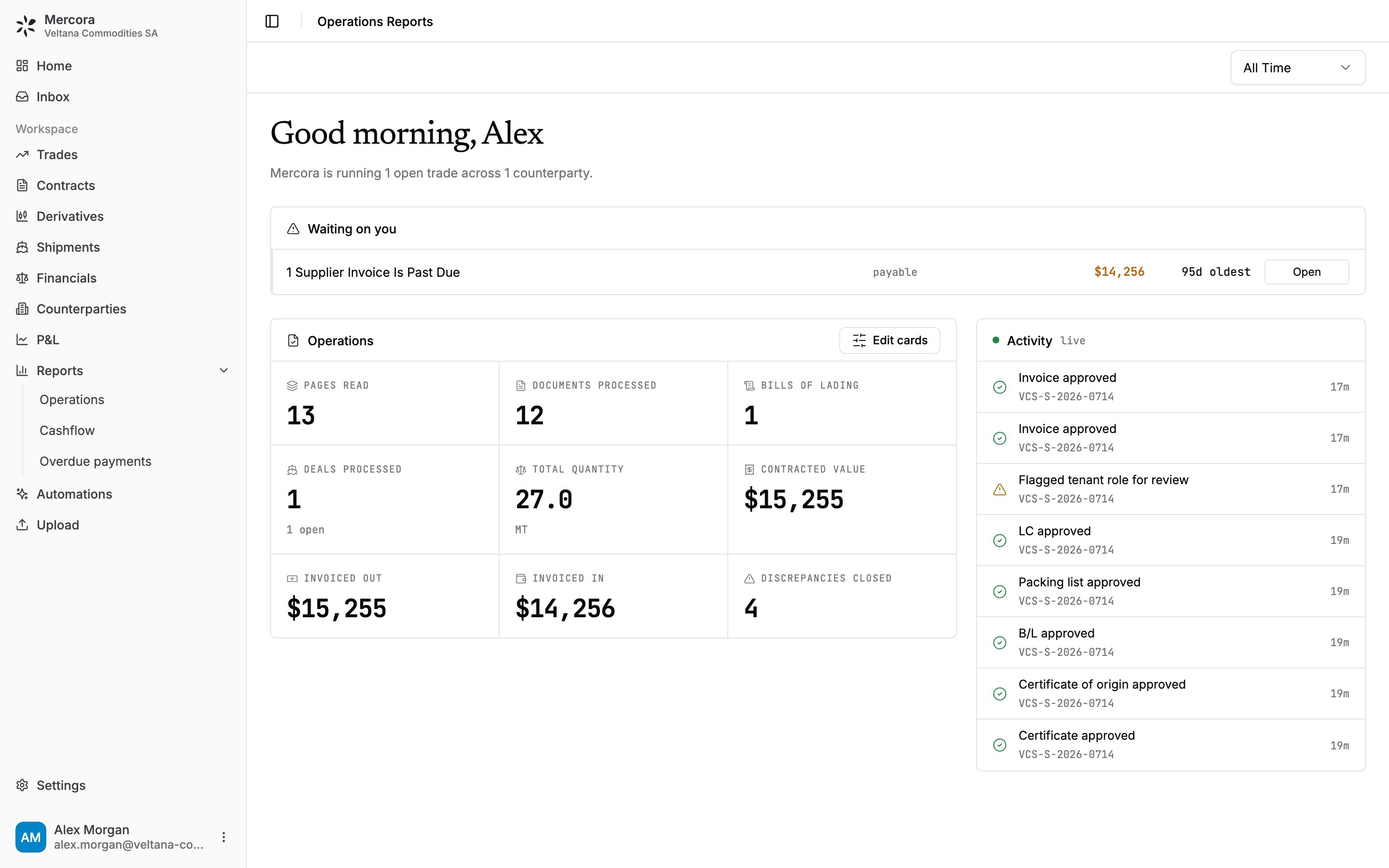
The Operations report for Veltana Commodities SA: one past-due supplier invoice waiting, 12 documents processed and 4 discrepancies closed on the sugar trade VCS-S-2026-0714.
- open discrepancies, with how long they’ve been open;
- trades whose laycan closed with no B/L;
- supplier invoices past due;
- shipped cargoes with no sales invoice;
- documents Mercora couldn’t match to a trade;
- failed pushes to a connected external system.
Cashflow
Cashflow is cash-basis margin, built from payments only. The time range uses payment dates, so Last 30 Days shows cash that moved in the last 30 days, whenever the trade started.- Revenue: cash received on sales invoices. Costs: cash paid on purchase invoices.
- Margin and Margin %: revenue minus costs, and its share of revenue.
- Cumulative · realized charts revenue and costs by day, week or month.
- Ancillary costs · realized breaks cost payments down by category, such as freight, insurance and inspection. Cargo, tax and adjustment categories are left out, as are categories that net to zero or less.
Overdue payments
Overdue payments lists every unpaid invoice past its due date, most overdue first.
On 26 October 2026, with neither sugar invoice paid, Overdue receivable reads $15,255.00 (Meridian Foodstuffs, 74 days overdue) and **Overdue payable** reads $14,256.00 (Kanchana Siam Sugar, 95 days overdue).
Filter by type or AR / AP, search, or download the list as CSV. Click a row to open the invoice on its trade’s Financials tab.
An invoice counts as overdue only after payments, adjustments and linked earlier invoices are taken off. Closed and superseded invoices are never overdue, and rejected invoices and invoices on cancelled trades are left out. With a payment schedule, only the unpaid part of installments already past due counts. The Operations report uses the same rule.
Next steps
- Trade financials: record the payment that clears an overdue invoice.
- Discrepancies: clear the open discrepancies waiting on you.