

Turn modules on or off
Only workspace admins can change modules.1
Open Settings → Workspace
Scroll to Modules, grouped into Core app, Workflows and Shared capabilities.
2
Switch modules On or Off
The page shows “Unsaved changes” until you save.
3
Click Save changes
Or click Reset to discard your edits.
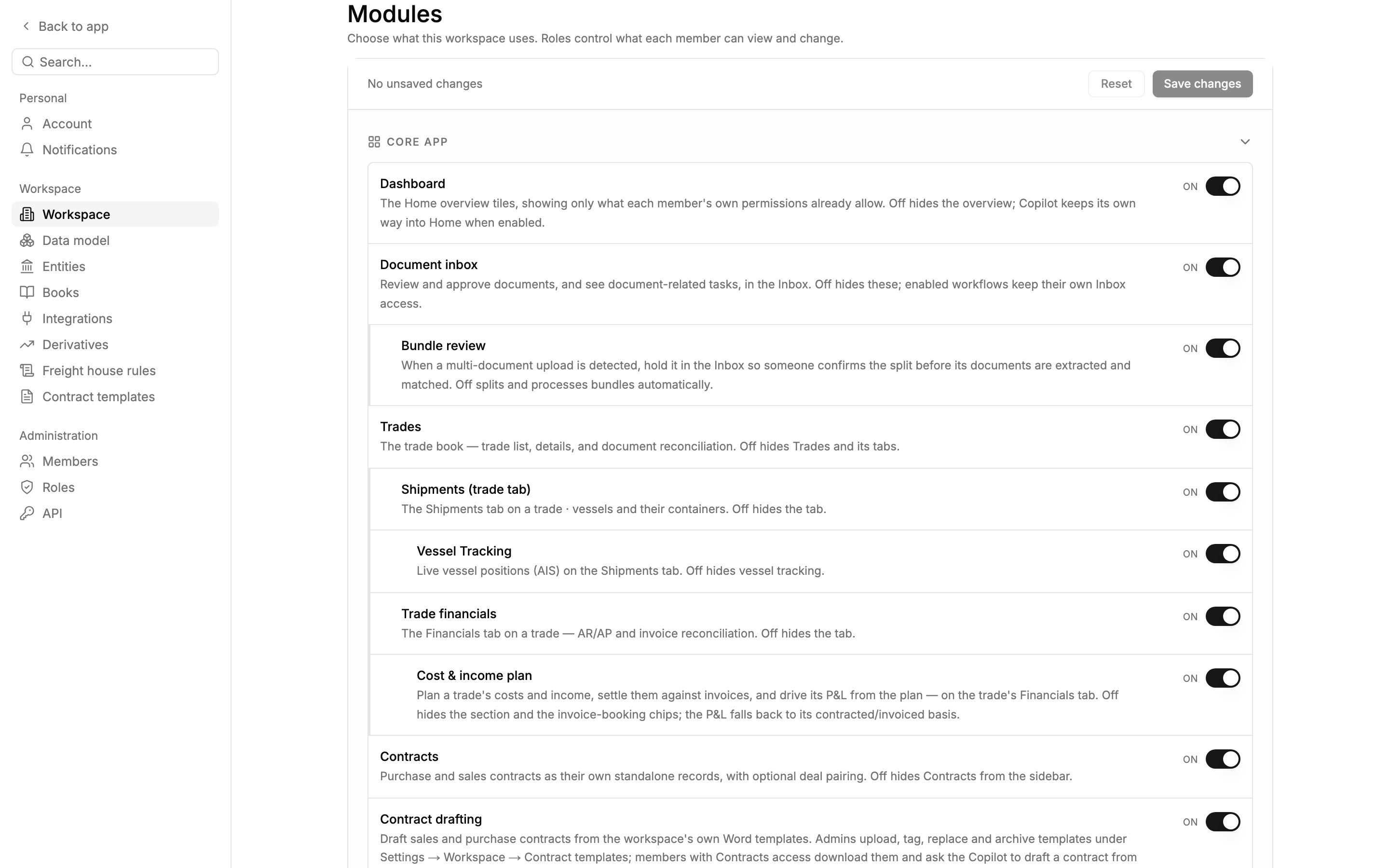
Modules nest under their parent: Shipments (trade tab) and Trade financials sit under Trades.
Core app
Workflows
Shared capabilities
See Integrations to connect these systems.
How modules and permissions combine
To use an area, a member needs both its module turned on and a role that grants at least View (or Edit to make changes). Missing either, the area doesn’t appear. Three areas appear when any of their sources applies:- Home: the member can use the overview cards or the Copilot.
- Inbox: the member has access to any enabled workflow that sends items there.
- Upload: the member can upload documents or freight rate sheets.
Next steps
- Roles and permissions: decide who can view and change each area.
- Workspace settings: the rest of the Workspace page.